Signup
Open Strackit Business

Click on the Start Now button in the top right of the page to open the login / signup page
The Account Signup page allows new users to create an account by providing basic personal information. This guide provides step-by-step instructions to help users fill out the form and successfully create an account.
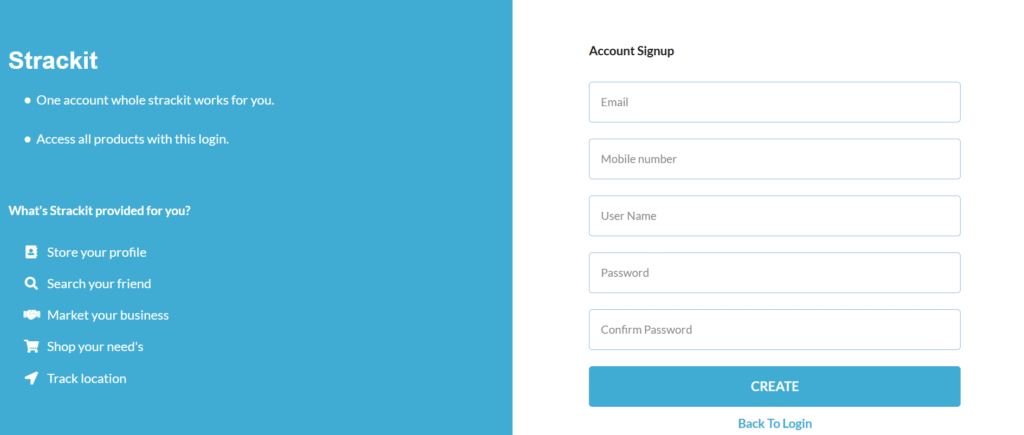
How to Create a New Account
Step 1: Enter Your Email
- Field: Email
- Description: Provide a valid email address. This will be used for account verification and communication.
- Example:
example@email.com
✅ Make sure the email is not already registered.
Step 2: Enter Your Mobile Number
- Field: Mobile number
- Description: Enter a valid mobile phone number.
- Format: Only mobile number. Don’t include country code (e.g.,
9894123456)
📱 Your mobile number might be used for two-factor authentication or password recovery.
Step 3: Choose a User Name
- Field: User Name
- Description: Create a unique user name to identify your account.
- Tip: Avoid using special characters; stick to letters and numbers.
🧠 This user name may be visible to other users on the platform.
Step 4: Create a Password
- Field: Password
- Description: Enter a strong password for your account.
- Recommendations:
- At least 8 characters
- Use a mix of uppercase, lowercase, numbers, and special characters
🔒 Avoid using common passwords like
123456orpassword.
Step 5: Confirm Your Password
- Field: Confirm Password
- Description: Re-enter the password to confirm it matches the one above.
❗ Both password fields must match exactly.
Step 6: Click the “CREATE” Button
- After filling all fields, click the blue “CREATE” button to submit the form.
- If all entries are valid:
- Your account will be created.
- You will be redirected to the login page or dashboard.
- If there’s an error:
- You will see an alert or message near the problematic field.
Back to Login
- If you already have an account, click the “Back To Login” link at the bottom.
- This will redirect you to the login page where you can sign in using your credentials.