Login
Welcome to the Account Login page. This guide will walk you through the steps required to log in, create a new account, or resolve any login issues you might encounter. The login page is designed to be intuitive, secure, and accessible.
Open Strackit Business
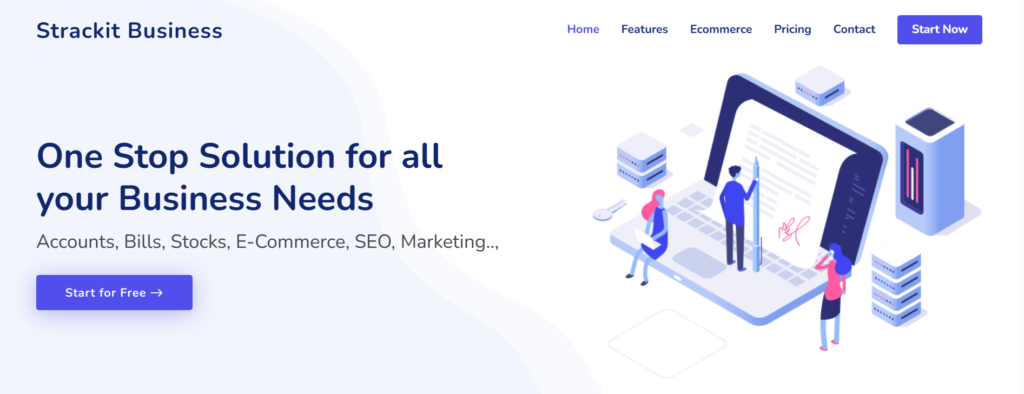
Click on the Start Now button in the top right of the page to open the login / signup page
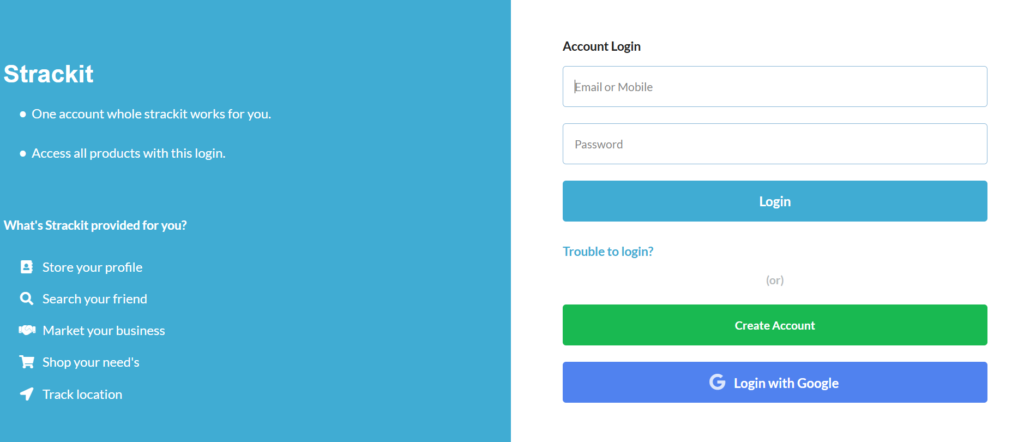
Logging In to Your Account
Step 1: Enter Your Credentials
- In the “Email or Mobile” field, type your registered email address or mobile number.
- In the “Password” field, type your account password.
✅ Ensure your keyboard’s Caps Lock is off to avoid entering an incorrect password.
Step 2: Click the “Login” Button
Click the blue Login button below the input fields.
If your credentials are correct, you will be redirected to your dashboard or homepage.
Trouble Logging In?
If you’re unable to log in:
- Click on the “Trouble to login?” link.
- This will guide you to reset your password
Creating a New Account
If you are a new user:
- Click on the green “Create Account” button.
- You will be redirected to the account registration page.
- Fill in the required details and follow the prompts to complete your registration.
Login with Google
You can also log in using your Google account:
- Click the blue “Login with Google” button.
- A pop-up or new tab will open for you to select your Google account.
- After authentication, you will be logged in automatically.
🔒 This method is secure and eliminates the need to remember another password.
Security Tips
Never share your password with anyone.
Use a strong password with a mix of letters, numbers, and symbols.
Always log out after accessing your account, especially on public devices.
Enable two-factor authentication (if available) for added security.